Corvexus / Brighton Handy Apps Support
Welcome to Corvexus Support.
This page provides support for applications developed by Brighton Handyman Services under the Corvexus / Brighton Handy Apps family.
Supported Apps
Current applications include:
- PlanScan Pro
- PlanCad Pro
- Builders Calculator
- Invoice Capture Pro
Additional Corvexus applications may also use this support page until a dedicated support page is provided.
Contact Support
If you need help with one of our apps, please contact:
When contacting support, please include:
- the name of the app
- your iPhone or iPad model
- your iOS or iPadOS version
- a short description of the problem
- what you were doing when the problem occurred
- screenshots or a screen recording if helpful
Please do not send confidential customer documents, invoices, construction plans or other sensitive information unless it is necessary for us to investigate your issue.
PlanScan Pro Support
What is PlanScan Pro?
PlanScan Pro is a professional LiDAR-assisted building measurement, floor plan, editing, renovation and documentation application.
It is designed to help users move through a workflow including:
Scan → Review → Correct → Edit → Existing / Demo / Proposed → Measure → 3D → Report → Export
PlanScan Pro can create editable project information from compatible Apple devices and supports professional workflows including floor plans, measurements, renovation planning, reports and project exports.
PlanScan Pro Device Compatibility
LiDAR Scanning
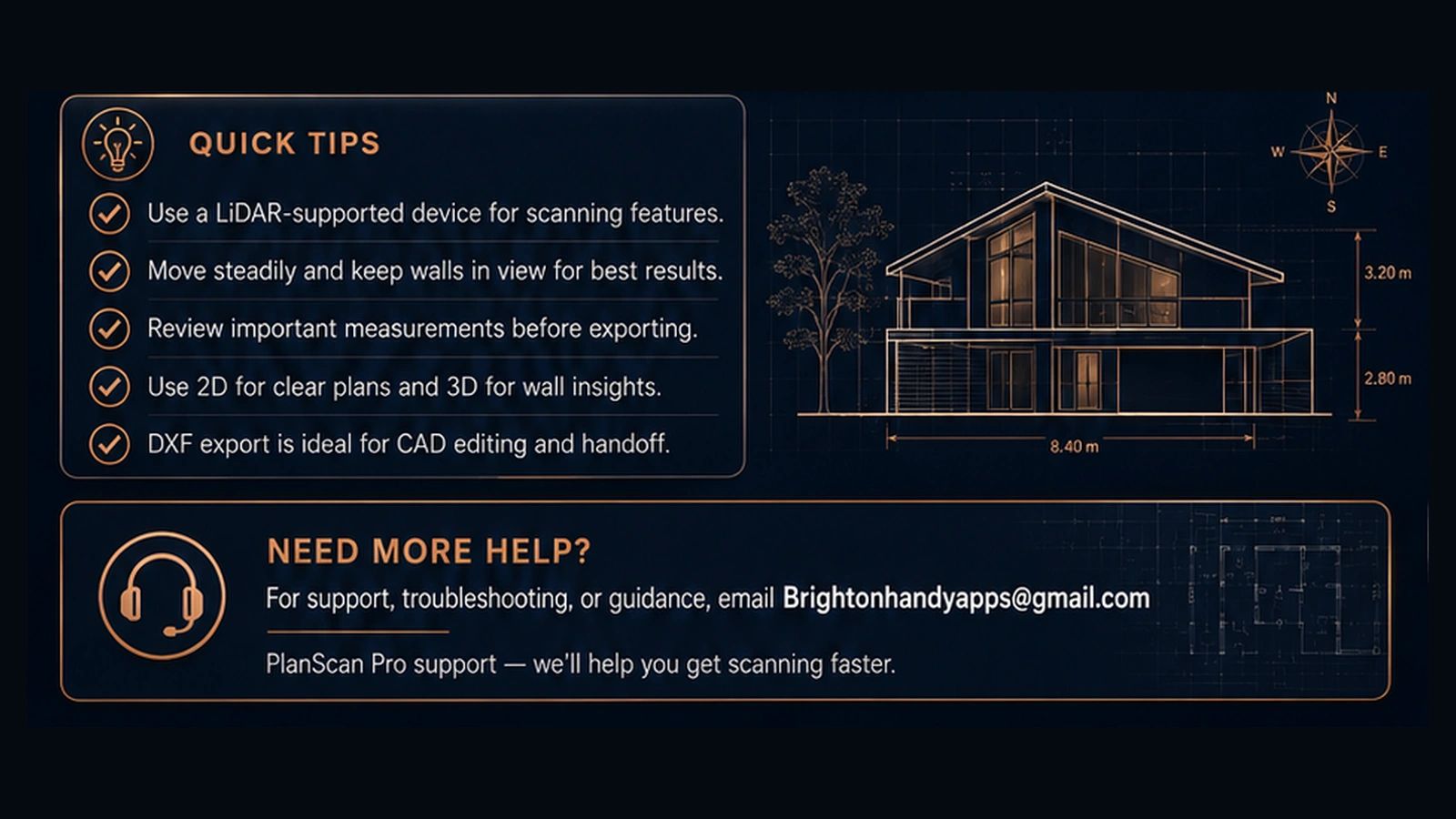
LiDAR scanning requires an Apple device equipped with a LiDAR Scanner.
Supported devices include compatible:
- iPhone Pro models beginning with iPhone 12 Pro / 12 Pro Max and later LiDAR-equipped Pro models
- LiDAR-equipped iPad Pro models
Devices without LiDAR can still access features that do not require active LiDAR scanning where supported by the app, including viewing, editing or working with compatible project information.
Apple hardware capabilities vary by device.
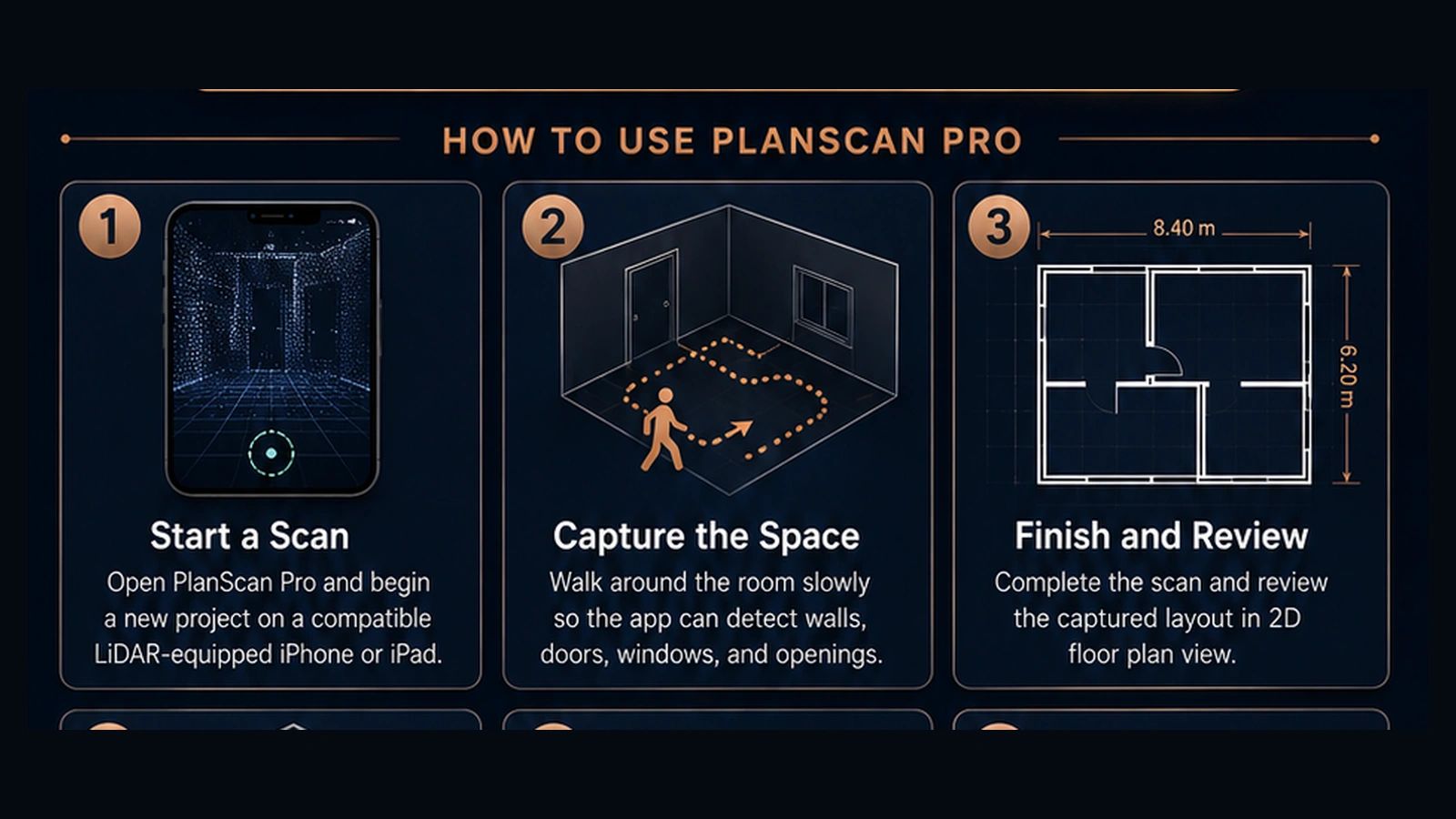
Starting a Scan
For best results:
- Open PlanScan Pro.
- Create or select a project.
- Choose the scanning option.
- Allow Camera access when requested.
- Move steadily through the room or space.
- Keep walls, corners, doors and windows visible as you move.
- Scan the complete area before finishing.
- Review the captured plan.
- Correct or edit anything that requires adjustment.
- Save the project.
For larger properties, complete the scan carefully and avoid rushing through important corners, openings or transitions.
Scan Accuracy
PlanScan Pro uses the capabilities of compatible Apple hardware together with its own editing and correction tools.
Real-world scanning conditions can affect results.
For professional work, users should review important measurements and confirm critical dimensions before construction, ordering materials or relying on the information for contractual work.
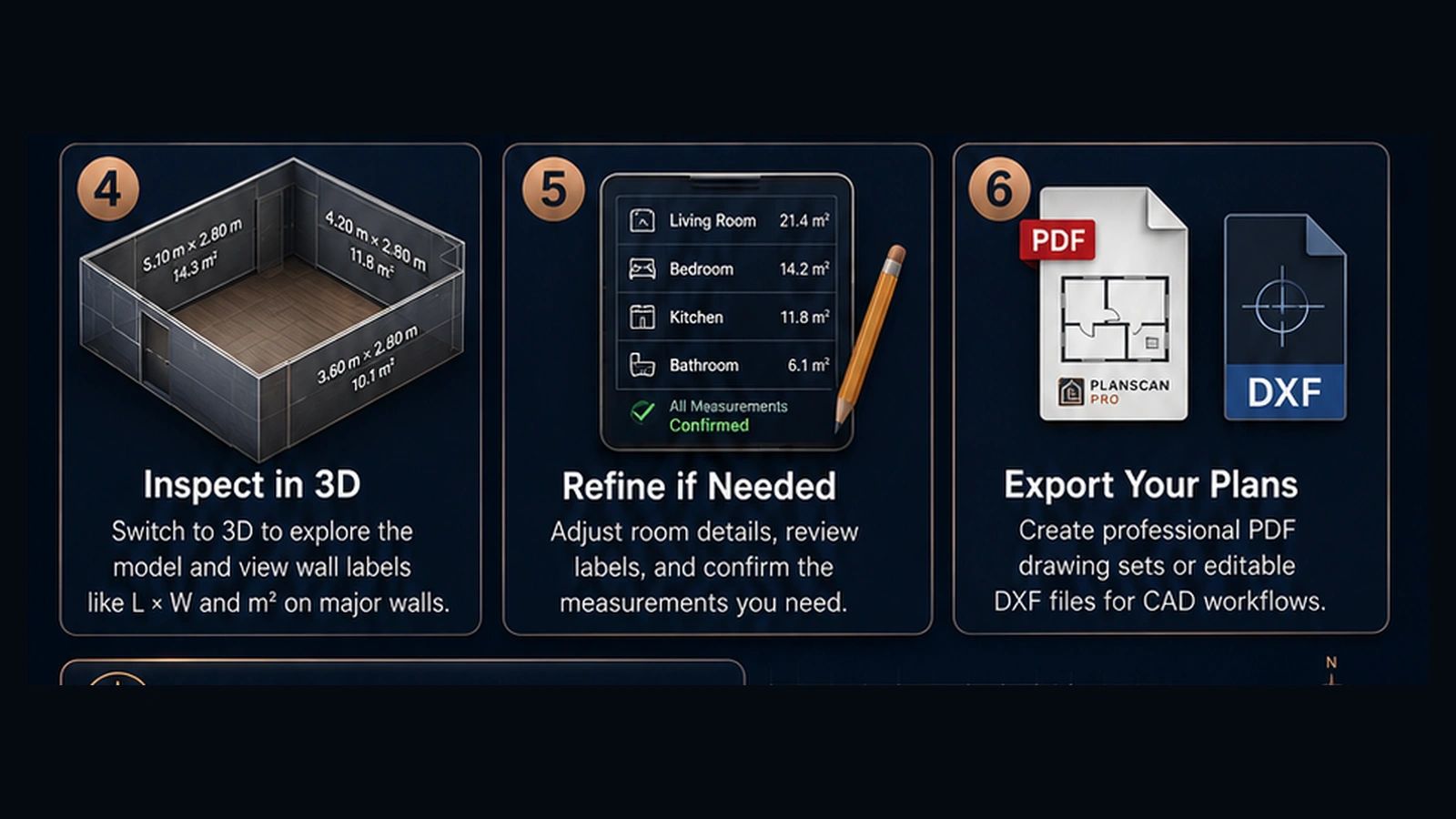
Editing Plans
PlanScan Pro includes editing tools that may allow you to:
- move walls
- reshape walls
- add new walls
- add doors and windows
- change door types
- modify openings
- add or reposition objects
- adjust dimensions
- create or modify zones and rooms
- work with renovation plan stages
- view projects in 2D and 3D
Available tools may vary depending on the version of the app and the selected project.
Existing, Demolition and Proposed Plans
PlanScan Pro supports renovation workflows involving different stages of a building.
These can include:
- Existing
- Demolition
- Proposed
This allows a user to preserve the measured existing building while creating separate demolition and proposed information.
Users should save their project before making major changes.
Reports and Exports
Depending on the project and app version, PlanScan Pro may provide options for generating or exporting:
- floor plans
- measurements
- reports
- PDFs
- project files
- CAD-compatible files
- 3D project information
- other supported documents
Exports can normally be shared through Apple’s standard sharing system, including compatible destinations such as Files, AirDrop, Mail or other installed applications.
Sharing PlanScan Projects
Where project sharing is available, users can transfer project information to another compatible device or application.
Always retain your own copy of important project files before transferring or modifying them.
PlanCad Pro Support
What is PlanCad Pro?
PlanCad Pro is a drafting and CAD-style application designed to work independently and alongside the Corvexus planning ecosystem.
It is intended for creating, editing and documenting building and site information.
PlanScan to PlanCad
Compatible PlanScan projects may be handed off to PlanCad so the project can continue into a more detailed drafting workflow.
If a transferred project appears incomplete:
- confirm the source project was saved
- reopen the source project before sharing
- confirm all required levels or plan information are present
- try the transfer again
- ensure both applications are updated to the latest available version
PlanCad Files and Exports
PlanCad may support compatible plan and CAD file formats depending on the app version.
When working on important drawings:
- save regularly
- retain a backup
- verify exported files before distributing them
- check dimensions before using drawings for construction
Builders Calculator Support
What is Builders Calculator?
Builders Calculator provides practical construction and building calculations intended to make common estimating and measurement tasks faster.
Depending on the version, the app may include calculations relating to areas, lengths, quantities, materials and other building tasks.
Using Builders Calculator
- Select the required calculator.
- Enter the requested dimensions or values.
- Check that the correct units have been selected.
- Review the calculated result.
- Apply appropriate trade allowances, wastage or site-specific requirements where necessary.
Calculated results should be reviewed before ordering materials or undertaking construction work.
Building conditions, manufacturer requirements and construction methods may affect actual quantities.
Invoice Capture Pro Support
What is Invoice Capture Pro?
Invoice Capture Pro helps users capture, organise and extract useful information from invoices and receipts.
Depending on the selected feature, the app may use:
- Camera
- Photos
- Files
- on-device document recognition
Capturing an Invoice
For best results:
- Place the invoice on a flat surface.
- Ensure the document is well lit.
- Avoid shadows across the page.
- Keep the entire invoice visible.
- Capture the document as straight as possible.
- Review recognised information.
- Correct any values that were not recognised accurately.
- Save or export the result as required.
Document Recognition
Document and text recognition is designed to assist the user.
Invoices can vary significantly in layout and print quality, so users should review recognised information before relying on it for accounting, taxation, payment or business records.
Subscriptions and Purchases
Some Corvexus applications may offer subscriptions or other in-app purchases through Apple’s App Store.
Apple processes App Store payments.
We do not directly store your full credit card or debit card information.
Restore Purchases
If you have previously purchased a subscription or eligible in-app purchase and it is not being recognised:
- Make sure you are signed into the same Apple Account used for the original purchase.
- Open the relevant Corvexus app.
- Open the subscription or purchase screen.
- Select Restore Purchases if available.
- Allow a short period for Apple to verify the entitlement.
You should not normally be charged again when restoring an existing valid purchase.
Managing or Cancelling a Subscription
Subscriptions purchased through Apple’s App Store are managed through your Apple Account.
On iPhone or iPad:
Settings → Your Name → Subscriptions
Select the relevant subscription to view its current status or available management options.
Deleting an app does not automatically cancel an active subscription.
Subscription Not Showing
If an active subscription is not recognised:
- confirm you are using the correct Apple Account
- confirm the subscription is active in Apple Settings
- restart the app
- use Restore Purchases
- restart the device if necessary
If the problem continues, contact:
App Permissions
Our apps request access only when a feature requires it.
Depending on the app, permissions may include:
- Camera
- Photos
- Files
- LiDAR/depth-assisted scanning capabilities
- nearby or local device functionality where required for supported sharing features
Permissions can be reviewed in:
Settings → Privacy & Security
or:
Settings → Apps → Select the relevant app
Disabling a required permission may prevent the related feature from working.
Local Files and Project Data
Our apps are designed to keep much of your working information on your device.
Before:
- deleting an app
- replacing a device
- resetting a device
- removing an important project
- making major edits to critical work
we recommend retaining copies of important files using available export or backup options.
Deleting an application can remove locally stored application data.
If an App Crashes
If you experience a crash:
- Reopen the app.
- Confirm your work was saved.
- Restart the device if the issue continues.
- Check for an app update in the App Store.
- Check for an iOS or iPadOS update.
- If the problem can be repeated, contact support.
Please tell us:
- which app crashed
- device model
- iOS/iPadOS version
- app version if known
- what you were doing immediately before the crash
A short screen recording is extremely helpful for repeatable problems.
Feature Requests
We actively develop the Corvexus application family and welcome practical feedback from users.
Feature requests can be sent to:
Please include the app name and describe the workflow you would like improved.
Privacy
We take privacy seriously.
Our apps are designed to process and retain information locally wherever practical and we do not sell customer plans, invoices, scans or other project information.
Our complete Privacy Policy is available at:
https://brightonhandyman.services/privacy-policy
Professional Use
Corvexus applications are tools designed to assist builders, tradespeople, designers, property professionals and other users.
Users remain responsible for reviewing information produced by the apps.
Before relying on measurements, plans, quantities, calculations or captured invoice information for important professional or financial decisions, verify the relevant information independently where appropriate.
Corvexus applications do not replace the services of a licensed surveyor, engineer, architect, certifier, accountant or other qualified professional where one is legally or professionally required.
Apple App Store Support
Purchases, subscriptions, refunds and Apple Account billing are ultimately processed by Apple where the transaction was made through the App Store.
For billing issues that cannot be resolved inside one of our apps, users may also use Apple’s official App Store support options.
Contact
Brighton Handyman Services
Corvexus / Brighton Handy Apps
Support email:
Brightonhandyapps@gmail.com
Website:
https://brightonhandyman.services
Support:
https://brightonhandyman.services/brightonhandyappssupport
Privacy Policy:
https://brightonhandyman.services/privacy-policy
We’re Building the Corvexus Ecosystem
Corvexus is being developed as a connected family of practical professional tools.
Our goal is to make workflows such as:
Scan → Draw → Measure → Calculate → Document
simpler, faster and more useful on Apple devices.
As our applications grow, this support page will continue to be updated with new products, features and support information.
Last updated: 23 August 2026

Events
Every Sunday
First Friday of the Month
Every Saturday